
INCLUDED IN ADVANCED AND ENTERPRISE
AI E-commerce CRM
Customer data, campaigns and automations in one panel
Orders, customers and products land in the CRM by themselves. You choose who gets which message; the automations do the rest.
Customer data, campaigns and automations in one panel
Orders, customers and products land in the CRM by themselves. You choose who gets which message; the automations do the rest.
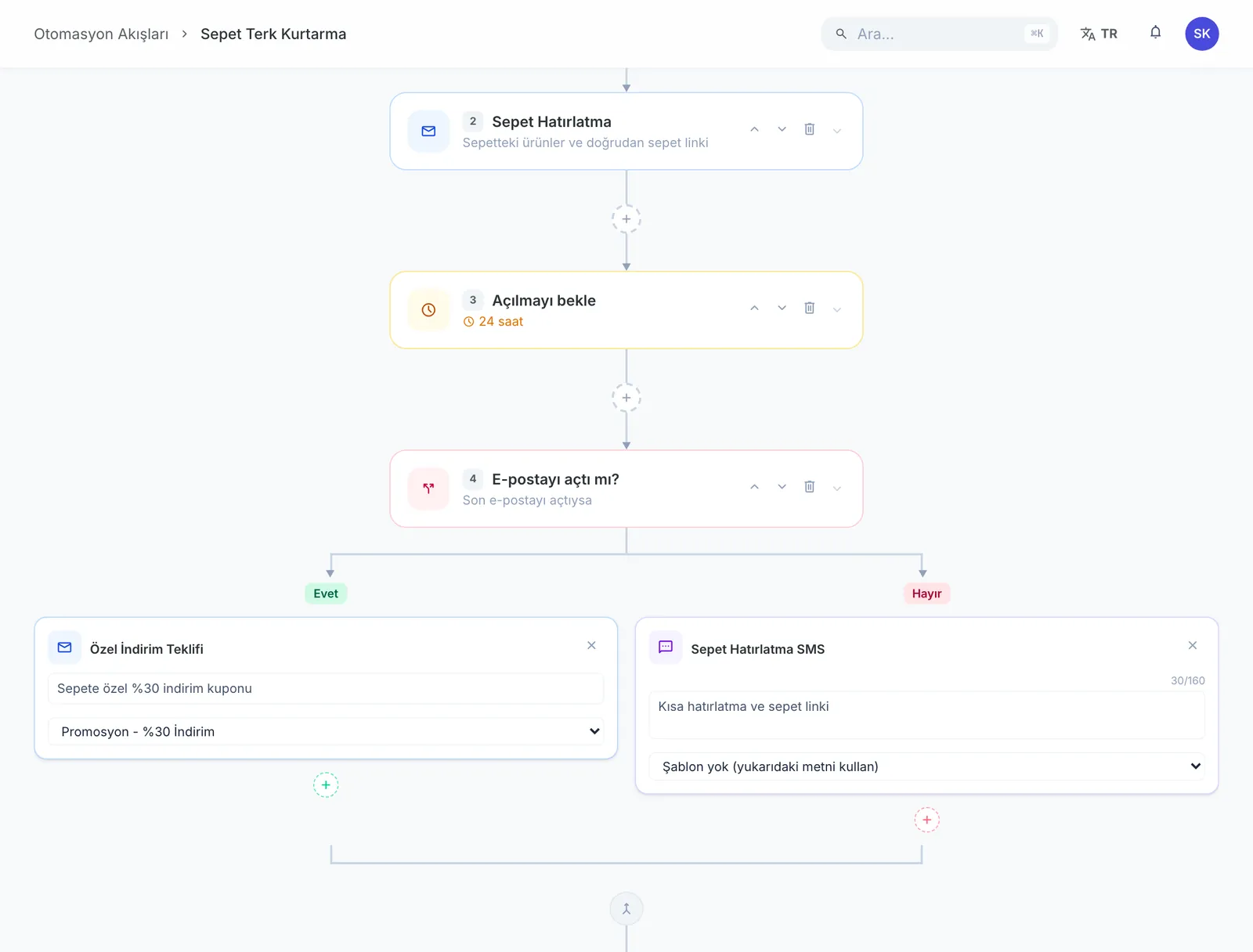
Say you want to win back customers who abandoned a cart.
Customers with something in the cart who haven't ordered for three days.
Open a template, drop in the product image and a discount code.
Set it once; from then on it goes out to everyone who abandons a cart.
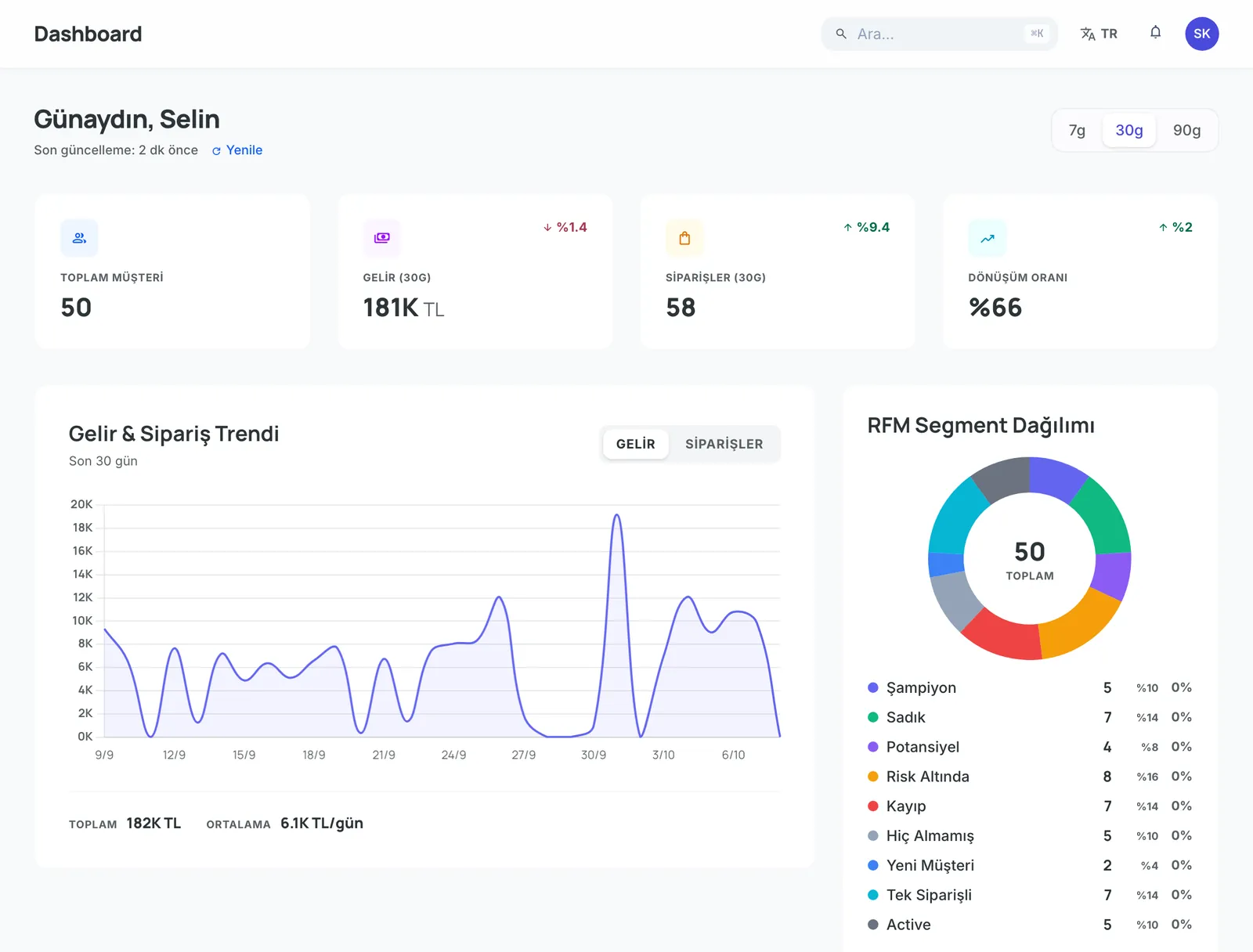
How many opened it, how many came back, how much revenue. In the attribution report.
Both channels go out from one panel. Build the email in a drag-and-drop designer or start from one of 80 templates.
Describe an audience with 22 criteria and split customers into RFM groups. Send a campaign straight to a segment.
Set up flows like cart reminders or birthday coupons. A flow branches one level: those who opened the email get one step, the rest another.
Which campaign brought revenue, which channel works better, where customers drop off. Down to coupon usage.
Products, categories, brands, customers, orders and returns flow in from IdeaSoft hourly. Price and stock refresh daily.
See what a customer bought, how often they came back and their tags on one screen. Business customers link to companies.
Email and SMS draw from the same monthly pool.
| Advanced | Enterprise | |
|---|---|---|
| Customers | 50,000 | Unlimited |
| Automations | 1 | Unlimited |
| Users | 3 | 999 |
| Email + SMS (shared pool) | 250,000/mo | 1,000,000/mo |
| API rate limit | 300/min | 2,000/min |
| AI tools, surveys and Growth Engine | — | Included |
One click from your dashboard. Your account and user are ready.
Authorize your IdeaSoft account and the data starts flowing.
Pick the audience, open a template, send. The result is in your reports the same day.
It is included in the Advanced and Enterprise plans. It cannot be installed on Basic or Pro.
Ten: revenue, channel performance, product performance, cohort, customer journey, attribution, breakdown, send time, win-back and coupon usage.
Email and SMS. Send a campaign to all customers or to a segment you choose, or attach it to an automated flow.
No. Both draw from the same monthly pool: 250,000 total sends on Advanced, 1,000,000 on Enterprise. You can see your usage under Settings → Account in the CRM.
An hourly delta sync picks up new records and changed order statuses. Product price and stock refresh daily, as does consent sync.
No. The CRM is included in your plan and is not sold separately.
Customer and automation limits are lifted, send quotas quadruple and users rise to 999. AI tools, surveys and the Growth Engine also unlock.
Not sold separately. Install it from your dashboard in one click and start today.