IN EVERY PLAN
Campaign Studio
Drag-and-drop design, AI wizard and A/B testing
Design your campaign in a drag-and-drop editor and get suggestions from AI. A/B test the versions and let the winner be picked automatically.
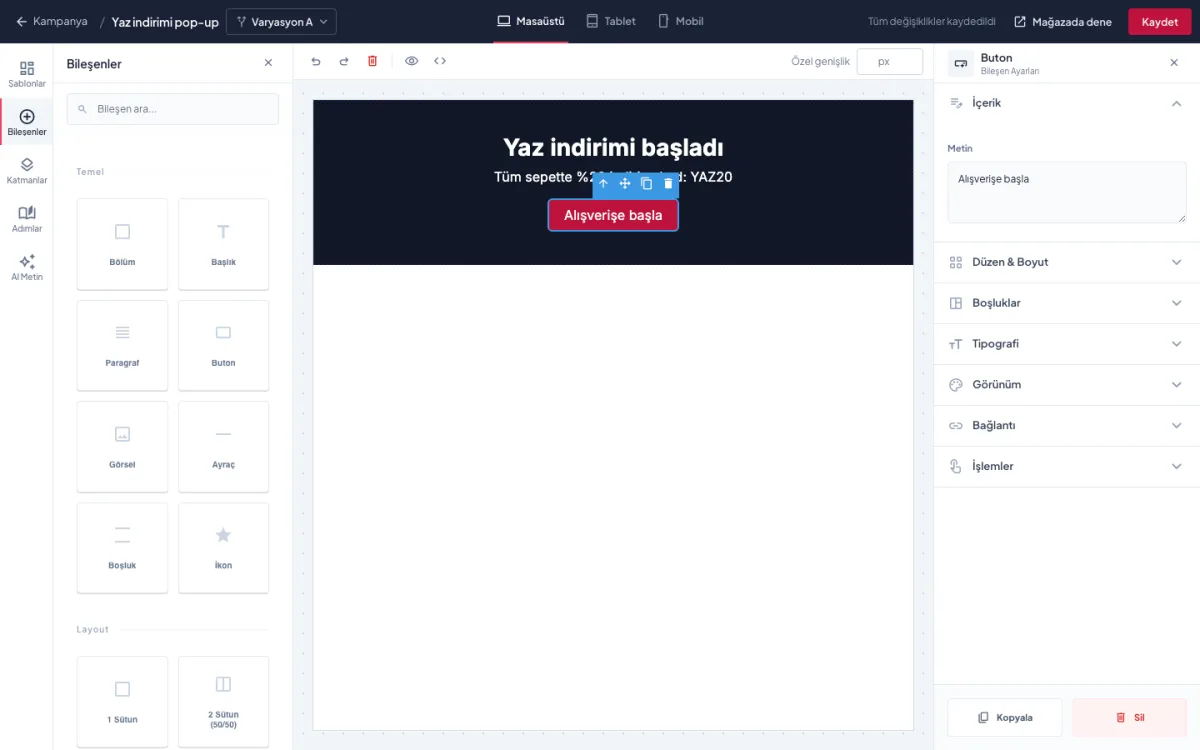
Drag-and-drop design, AI wizard and A/B testing
Design your campaign in a drag-and-drop editor and get suggestions from AI. A/B test the versions and let the winner be picked automatically.
Drag sections, headings, buttons, images and icons into place. Build your page without code.
Don't start from a blank page; open a template and change the copy and colours for your campaign.
Edit each device view separately and fix a mobile layout without touching desktop.
Describe your goal and the wizard generates design and copy suggestions. In the Advanced plan and above.
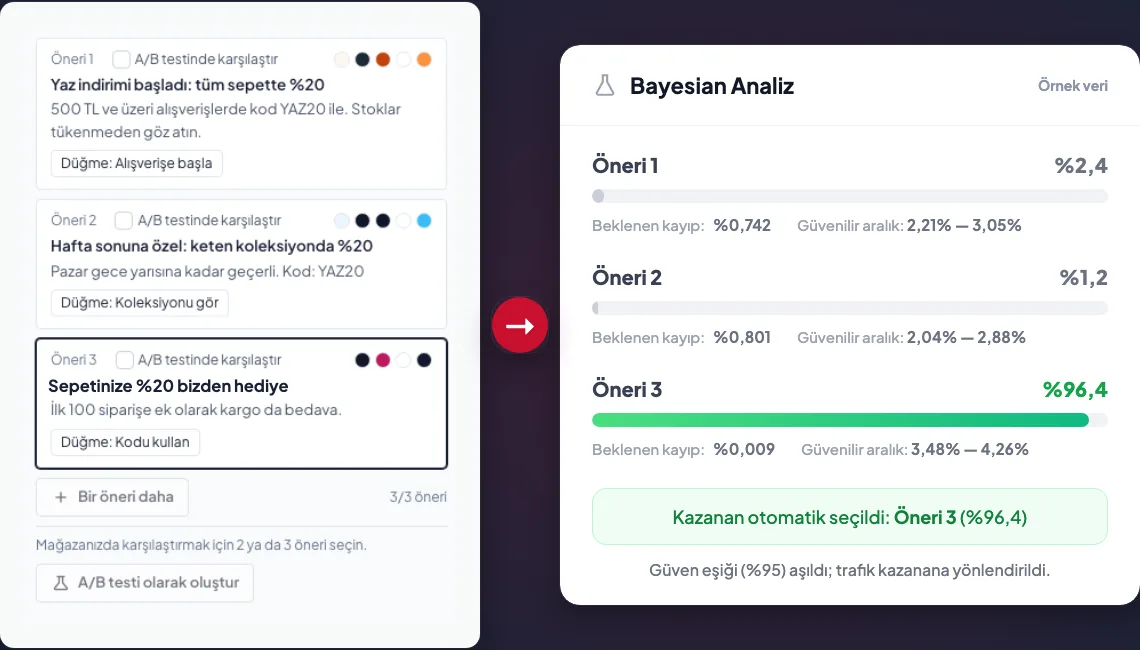
Turn suggestions or your own versions into a test in one click; the panel shows each variation's chance of winning. In Pro and above.
When a variation passes the confidence threshold (95% by default) with enough impressions and time, traffic moves to it. You set the thresholds.
Start from a template or a blank page; get suggestions from the wizard for your goal.
Put versions into an A/B test. The panel tracks each variation's chance of winning.
Once the confidence threshold is passed, traffic moves to the winner; or make the call yourself.
Included in every plan. A/B testing is in Pro and above, the AI wizard in Advanced and above.
| Basic | Pro | Advanced | Enterprise | |
|---|---|---|---|---|
| Campaigns | 1 | 3 | 20 | Unlimited |
| Variations per campaign | 1 | 2 | Unlimited | Unlimited |
| A/B testing and automatic winner | — | ✓ | ✓ | ✓ |
| AI campaign wizard | — | — | Daily limit | Daily limit (higher) |
The panel uses Bayesian analysis to calculate each variation's probability of winning. With automatic selection on, traffic moves to a variation once it passes the confidence threshold (95% by default) with enough impressions and time. You set the thresholds.
Yes. Turn automatic selection off and choose the winner yourself after looking at the results.
It takes your goal and generates design and copy suggestions. You can turn the suggestions into an A/B test in one click.
Yes. Desktop and mobile views are edited separately.
Open your account, design your first campaign and start testing today.